
How the P87 works
The P87 is a claim between the employee and HMRC. The employee pays for something the job requires, uses it only for work, and is not repaid in full by the employer [1]. If the employer repays part of the cost, only the unpaid part can be claimed [1].
HMRC accepts postal claims only on form P87 and rejects postal claims made any other way [2]. A postal claim is possible when tax was taken from the employee's pay in the year claimed for, the total expenses claim for each tax year is £2,500 or less, and the claim is made within 4 years from the end of the tax year concerned [2]. Above £2,500, the employee must fill in a Self Assessment tax return instead [2]. Employees who already file a return must claim through it [3]. Claims can also be submitted online [3].
From the tax year 6 April 2026 to 5 April 2027, tax relief for working from home cannot be claimed, although earlier years can still be [2]. The working from home allowance guide explains that allowance in more detail.
How the relief is given
Relief is worked out from the amount spent and the employee's rate of tax. HMRC's own example is a £60 claim at the 20% rate, worth £12 in relief [3]. For the current tax year, HMRC usually adjusts the tax code so the employee pays less tax. For earlier years, it either adjusts the tax code or pays a refund [3]. Relief cannot exceed the tax the employee paid in that year [1].
The official P87, section by section
The paper P87, version HMRC 06/26, runs to 8 pages and 10 sections. It must be signed and dated, boxes marked with an asterisk are mandatory, and forms received without them are rejected [5].
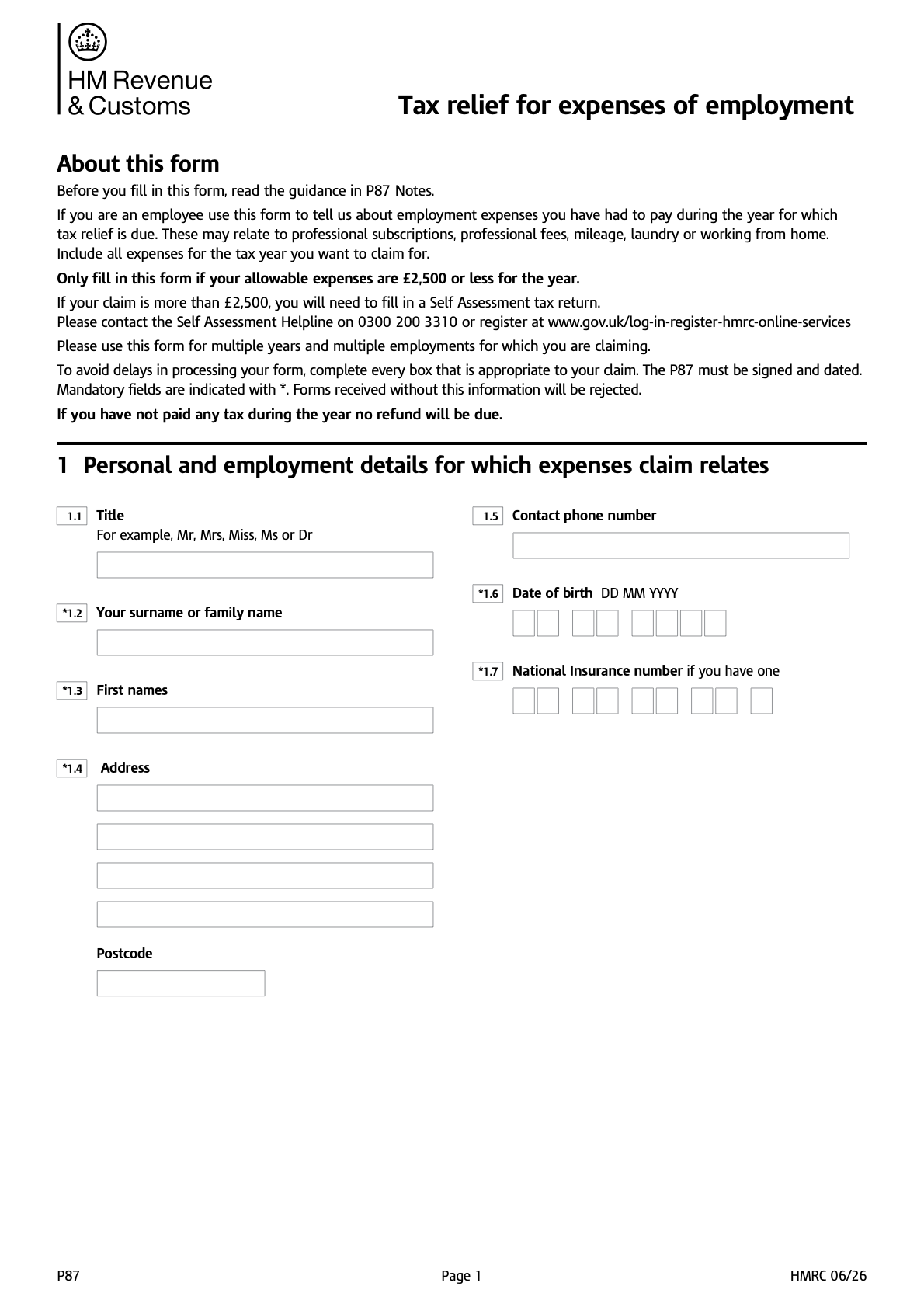
Section 2: employment details
This is where the employer appears. Each column is one tax year: the current year and up to the last 4 completed tax years [5].
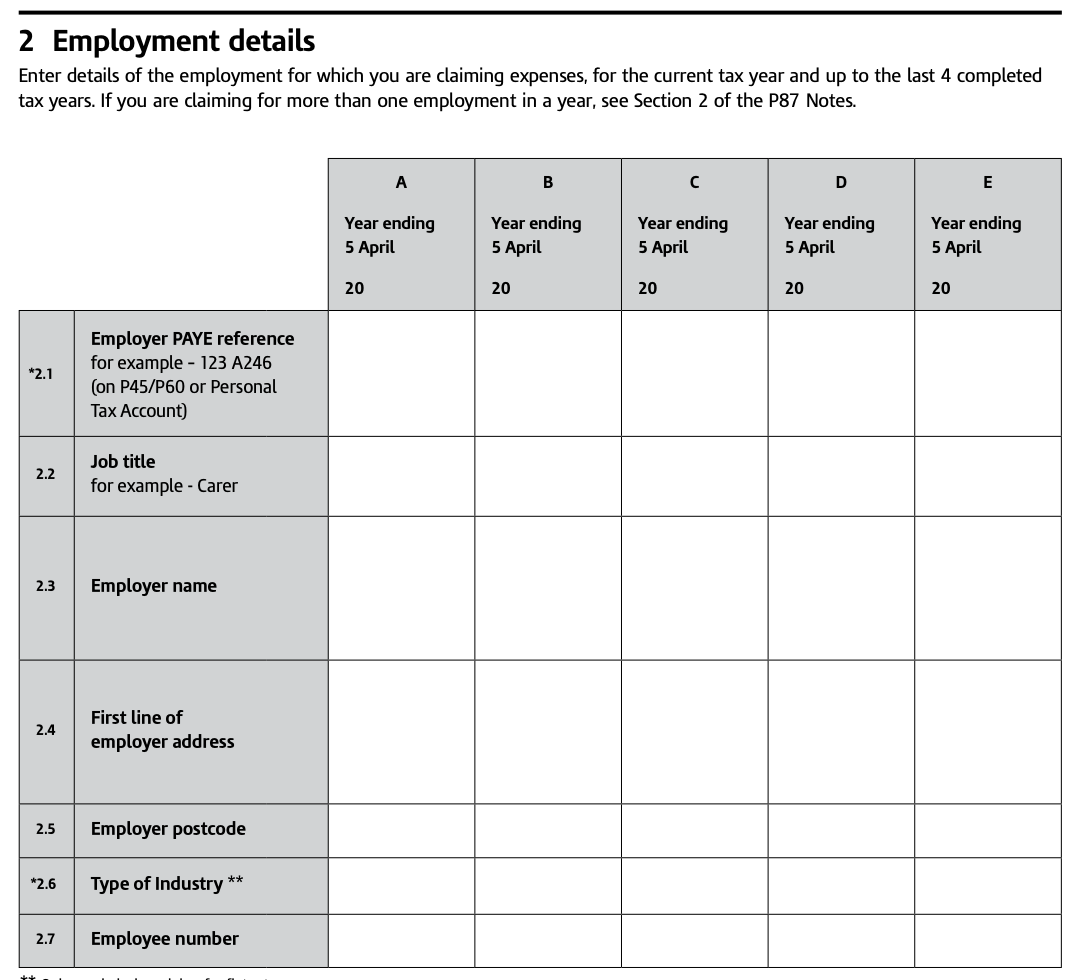
Employer PAYE reference. Mandatory. The form says it is on the P45 or P60, or in the employee’s personal tax account.
Job title. For example, carer.
Employer name and address. Boxes 2.3 to 2.5, with the postcode.
Type of industry. Mandatory, but only needed when the claim includes flat rate expenses.
Employee number. The employer’s own reference for the employee.
Section 8: amounts repaid by the employer
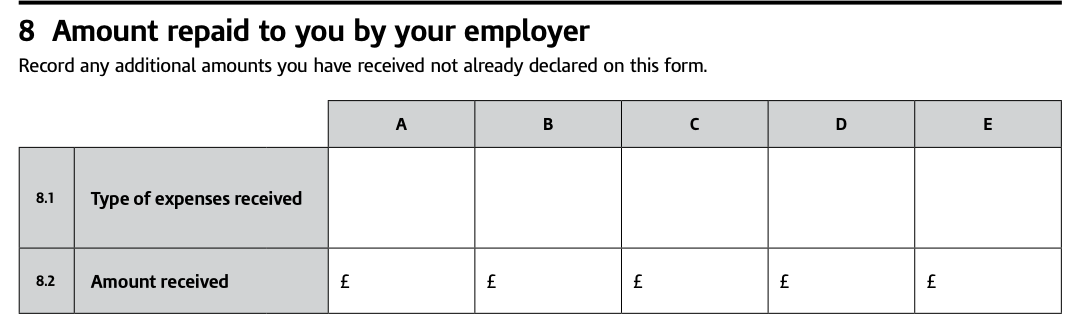
Type of expenses received. Repayments from the employer not already declared elsewhere on the form.
Amount received. Deducted from the claim in section 9.
Section 9: total expenses
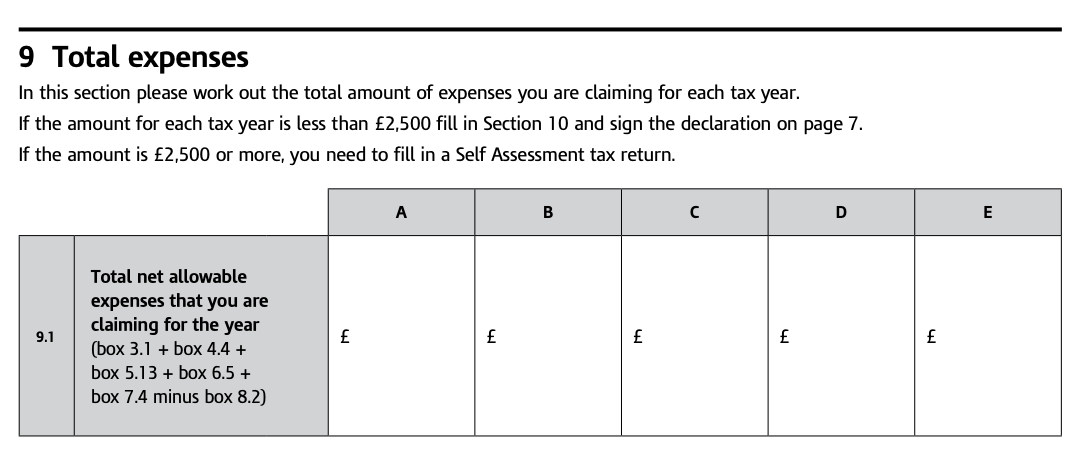
Total net allowable expenses. The expense totals from sections 3 to 7, less the amount in box 8.2, for each tax year.
The completed form goes by post to Pay As You Earn and Self Assessment, HM Revenue and Customs, BX9 1AS [5].
What the employer sees and must do
The P87 goes to HMRC, not to the employer, and the employer plays no part in approving it. What reaches payroll is a new tax code for the employee, set so that less tax is deducted [3]. When an employee's code changes mid-year, the employer should update the payroll record as soon as possible [4] and use the new code from the next pay run. The PAYE coding notice guide explains how to read the notice.
Common mistakes
- Treating reimbursed expenses as claimable. If the employer repays the full cost, there is nothing to claim [1].
- Changing the tax code in payroll on the employee's word. The employer applies the code HMRC issues, not one the employee expects after a P87.
- Ignoring the £2,500 limit. Larger claims go through Self Assessment, not the P87 [2].