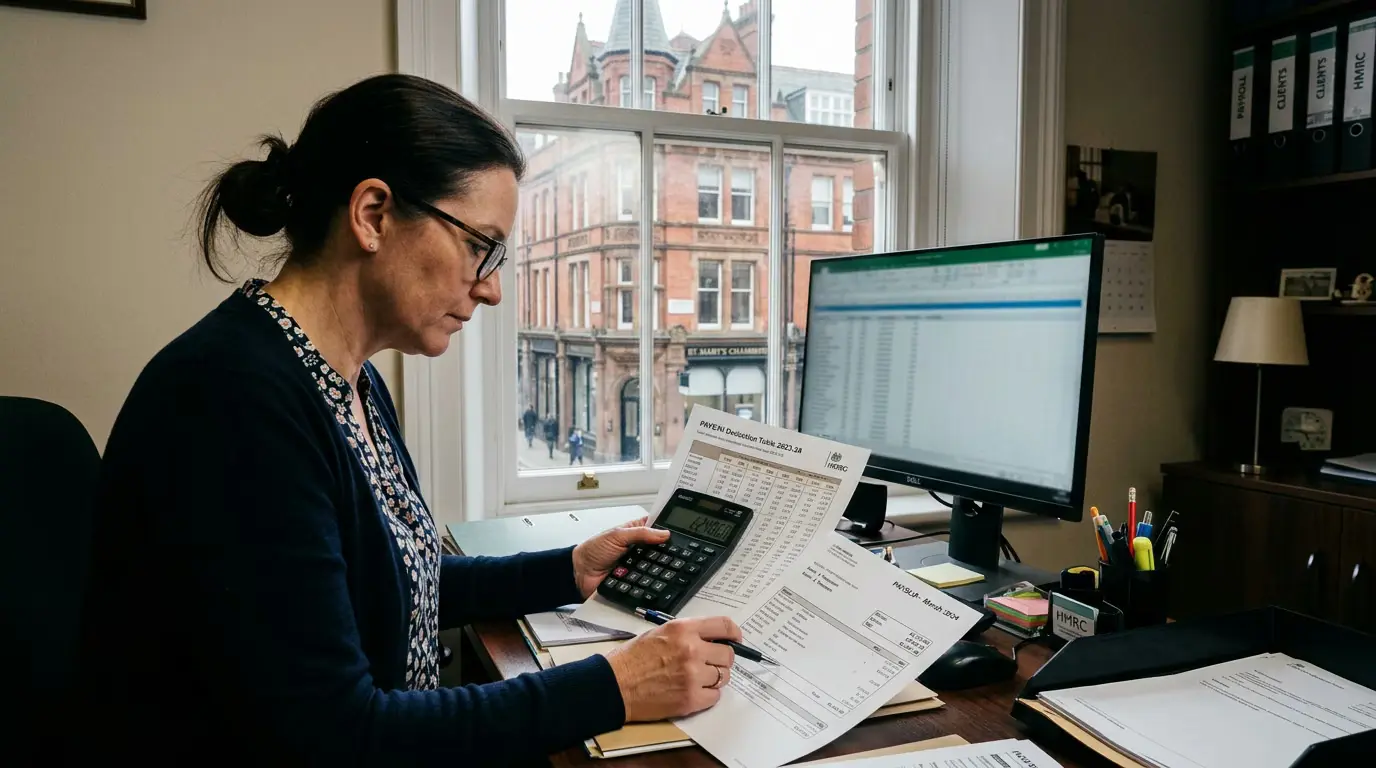
Check what a tax code means
Every UK tax code explained, with exact tax-free pay for each pay schedule.
HMRC sends paper P9 coding notices to employers in late February and early March, followed by a supplementary batch in mid to late March, so that new codes are ready for 6 April [3]. During the year, once HMRC corrects a code, it tells the employee and the employer within 15 working days [8].
"PAYE coding notice" covers several different documents. The employee receives a P2, which explains how the code is built. The employer receives a P6 for a change during the year or a P9 for the new tax year, which simply states the code to operate [9] [1]. Each side sees a different slice of the same decision.
That split is the source of most coding confusion. The employer applies a code it cannot explain, and the employee reads an explanation the employer never sees. Errors in the underlying figures, such as estimated pay or a benefit that has ended, surface only when someone compares the two.
This guide sets out what each notice contains, how notices reach employers, what employers must do with them and by when, how a code from a notice changes the payslip, and how a wrong code is put right.
Key takeaways
- The P2 goes to the employee and explains each item in the code; since 28 October 2015 a single P2 covers all live employments and pensions [1].
- Employers receive P6 notices for in-year changes and P9 notices for the new tax year, through PAYE Online, some payroll software or the PAYE Desktop Viewer [9] [10].
- A new code is applied as soon as possible and before the employee's next payday, with any previous pay and tax HMRC supplies [18].
- On £3,000 a month, a notice reducing 1257L to 1157L raises income tax from £390.20 to £407.00 each month.
- Underpayments of up to £2,999.99 can be collected through a code; £3,000 or more cannot [15].
- An employer cannot change a code on its own initiative; the employee corrects the underlying details with HMRC [8].
The three notices and who receives them
The P2 is the employee's notice. The P6 and P9 are employer notices. The P9X is a general instruction rather than a notice about one person. The table sets them side by side.
| Notice | Recipient | When it is issued | What it contains |
|---|---|---|---|
| P2 | Employee | When HMRC calculates or amends a code | Each allowance and deduction behind the code, with explanatory notes |
| P6 | Employer | During the tax year | The new code, its basis, and previous pay and tax where held |
| P9 | Employer | Ahead of a new tax year | The code to use from 6 April |
| P9X | All employers | Annually, before 6 April | General rules for uplifting and carrying forward codes |
Sources: PAYE Manual [1], PAYE Online guidance [9] and P9X instructions for 6 April 2026 [7].
The P2: the employee's explanation
HMRC's own manual describes the P2 as "a personalised communication telling the customer what makes up their code(s)" with an explanation of each coding item [1]. It lists the Personal Allowance, any additions such as Marriage Allowance or job expenses, and any deductions such as company benefits, untaxed income or underpaid tax. GOV.UK reminds employees that the numbers in a code show how much tax-free income they get from that employer or pension in the tax year [16].
The P2 also carries automatic notes. Where HMRC has built an in-year adjustment into the code, the note reads that HMRC thinks the person will owe a stated amount and will collect it "in equal instalments from now on" [2]. Employees can sign up for paperless notifications so that HMRC emails them when the code changes [12].
The P6 and P9: the employer's instruction
Employer notices contain the result, not the reasoning. GOV.UK lists "tax code notices (P6 and P9)" among the notices available in PAYE Online [9]. HMRC also sends an email alert when one of an employer's employee codes changes [18].
A P6 can also switch the basis of operation. HMRC's staff instructions describe sending a P6 "cancelling the Week 1 or Month 1 basis and restoring the cumulative basis" once previous pay and tax are known [22]. The cumulative tax code guide explains what that switch does to the payslip [21].
How a code on a notice is built
A coding notice is the output of a calculation HMRC runs on the information it holds. Understanding the inputs explains why codes change and why some are wrong.
Allowances, deductions and estimated pay
HMRC starts from the 2026-27 Personal Allowance of £12,570, which the P9X confirms "for the whole of the UK" [7]. It adds any extra allowances and subtracts deductions, then drops the last digit and adds a letter. GOV.UK's employer guidance gives the meaning of each letter and prefix [20].
Estimated pay drives much of the result. HMRC's staff guidance states that "estimated earnings must be completed" for a tax code to be issued, and HMRC's coding history records the estimated pay used for each employment [5] [4]. An out-of-date estimate can move the code, especially where allowances are split across two jobs.
| Item on a P2 | Effect on the code | Typical example |
|---|---|---|
| Personal Allowance | Adds tax-free pay | £12,570 standard allowance |
| Marriage Allowance received | Adds tax-free pay, suffix M | Transfer from a spouse or civil partner |
| Marriage Allowance transferred | Reduces tax-free pay, suffix N | Transfer to a spouse or civil partner |
| Benefits in kind | Reduces tax-free pay | Company car, medical insurance |
| Underpaid tax | Reduces tax-free pay | Earlier year shortfall up to £2,999.99 [15] |
| Deductions above allowances | Produces a K prefix | Large company car benefit |
Sources: GOV.UK code letters [20], PAYE Manual on underpayments [15] and on K codes [25].
Second jobs and pensions
GOV.UK states that a person gets "a tax code for each employment or pension" they have, so one P2 can sit behind several employer notices [12]. Since 28 October 2015 the P2 shows all live employments and pensions on a single form, which lets the employee see how the Personal Allowance has been split between them [1]. HMRC's coding guidance tells its staff to review the codes in operation at any secondary employment when a main code changes [14].
For the employer of a second job, the notice usually carries BR, D0 or a small allowance rather than 1257L. GOV.UK's letters table explains that BR taxes all income from that job at the basic rate, and D0 at the higher rate [20] [16]. A mismatch between the two employers' notices, for example both operating a full allowance, is a common cause of a year-end underpayment [27].
When a notice produces a K code
HMRC's K code example uses allowances of £12,570 against a company car benefit of £14,120, which leaves deductions greater than allowances and produces code K154 [25]. GOV.UK explains that the number in a K code is multiplied by 10 and added to taxable income [20]. The guide to how a P11D affects a tax code covers benefits in more depth.
In-year adjustments
Since 2 July 2017, HMRC carries out a full calculation for the year whenever it amends a code, and shows any expected shortfall as an in-year adjustment [1] [23]. One worked case in the manual shows a reduction in allowances of 398 multiplied by the 20% basic rate, a full-year underpayment of £79.60 [23]. Where collecting the adjustment would breach the 50% limit, the balance moves into the next tax year [23].
How employers receive coding notices
Employers choose how notices arrive. Paper notices still exist, but HMRC's P9X describes two channels: a paper form P9(T), "Notice to employer of employee's tax code", or an internet notification for employers registered for PAYE Online [7].
PAYE Online, the Desktop Viewer and software
PAYE Online lets employers "access tax codes and notices about your employees", and the same notices can be reached "through some payroll software, or by using the PAYE (Pay As You Earn) Desktop Viewer" [9]. New users receive an activation code by post within 10 days and must use it within 28 days of the date on the letter [9].
The Desktop Viewer "allows you to view, search and sort large numbers of employee tax codes and notices" and can download notices for offline viewing [10]. That makes it useful for an employer with a few hundred staff, but it still leaves someone to key each code into payroll [10].
| Channel | Who it suits | How codes reach payroll |
|---|---|---|
| Paper P9(T) and P6 | Small employers without online access | Manual entry |
| PAYE Online | Most employers | Viewed online, then entered |
| PAYE Desktop Viewer | Employers with many notices | Downloaded, then entered |
| Data Provisioning Service through software | Bureaux, platforms, larger employers | Retrieved and applied automatically |
Sources: PAYE Online guidance [9], Desktop Viewer page [10] and Data Provisioning Service specifications [11].
The Data Provisioning Service
For software, HMRC publishes the Outgoing Data Provisioning Service technical specifications, described as "relevant to tax code, student loan and generic notifications" for software developers [11]. The pack includes a DPS API specification and the outgoing schemas, which were updated to version 2.93 [11].
Payroll that retrieves notices through DPS removes the manual step entirely. A multi-client payroll dashboard can then show which codes arrived since the last payrun across every scheme, and platforms embedding payroll through the HMRC-recognised payroll API receive the updated code on the employee record, with the fields documented in the API documentation. In both cases the code is operated by HMRC-recognised software [9].
What employers must do with a notice
The employer's role is to apply the code exactly as stated. HMRC's guidance is short and the timing is firm.
Applying an in-year P6
GOV.UK tells employers to update the payroll record with the new code "as soon as possible" and before the employee's next payday, and to add previous pay and tax if those figures came with the code [18]. A code received too late to use in the tax year is used in the new tax year instead [18]. Employees are told to expect the change on the next or following payslip if paid monthly, or the third payslip if paid weekly [8].
A notice that keeps or adds a week 1 or month 1 marker must be operated that way. HMRC issues reduced codes on that basis so the shortfall for earlier months is not recovered in one payday [5] [24].
Preparing for 6 April with P9 and P9X
HMRC tells employers between January and March about any new codes for the tax year starting on 6 April; where a code is not changing, the employer carries it forward [19]. The P9X instructions add that employers should "scrap any form P9(T) or other tax code notification for the same employee with an earlier date", should not carry over week 1 or month 1 markings, and need not change the code of an employee who leaves before 6 April [7].
For employers who do not receive expected internet notifications, HMRC's processing staff treat them as missing if they have not arrived the day after the issue date, and a reissue of P9s takes a minimum of four working days [3]. Year-end checks therefore start well before the first payday of April.
Several notices for the same employee
An employee can be the subject of more than one notice in a short period, for example a P9 for the new year followed by a P6 when a benefit changes. The P9X rule is simple: the notice with the latest date wins, and earlier notifications for the same employee are scrapped [7]. The same Data Provisioning Service feed also carries student loan and generic notifications, so software that retrieves notices should process each type against the right employee record [11].
How a notice changes the payslip
The figures below were computed with the Moonworkers payroll engine for a category A employee in England paid monthly, using HMRC's 2026-27 tax table routines [28].
A reduced allowance
A P6 that reduces 1257L to 1157L, for example to code out a £1,000 benefit, raises monthly income tax on a £3,000 salary from £390.20 to £407.00 and lowers net pay from £2,453.64 to £2,436.84 [20]. If the same notice arrives in month 7 and is operated cumulatively, month 7 alone carries £507.00, because the reduced allowance applies to the six months already paid. Operated as 1157L M1, the deduction stays at £407.00 [21] [5].
| Code on notice, £3,000 a month | Income tax | Net pay |
|---|---|---|
| 1257L | £390.20 | £2,453.64 |
| 1383M (Marriage Allowance received) | £369.20 | £2,474.64 |
| 1131N (Marriage Allowance transferred) | £411.20 | £2,432.64 |
| 1157L | £407.00 | £2,436.84 |
| BR | £600.00 | £2,243.84 |
Employee National Insurance stays at £156.16 in every row, because a tax code does not affect National Insurance [20] [16].
A notice that brings a K code
At £4,000 a month, 1257L deducts £590.20 of income tax. A notice changing the code to K154 raises the deduction to £1,023.26 and reduces net pay to £2,740.58, still below the cap that limits tax in any period to half of pre-tax pay [20] [25]. The K tax code guide explains how payroll adds the K amount to taxable pay.
When the notice is wrong
A code is only as accurate as HMRC's information. The employer operates the notice; the employee fixes the data behind it.
How the employee corrects it
GOV.UK tells employees to update their details if anything is wrong or missing, with the online service as the quickest route, and HMRC then tells the employee and employer of the new code within 15 working days [8]. Someone who has just started a job should wait 35 days for HMRC to receive the new income details before contacting it [8] [26]. HMRC's online service for the current year's Income Tax covers 6 April 2026 to 5 April 2027 and lets employees update income from jobs and pensions [13].
The guide to changing a tax code walks through the employee steps. Where a new starter filled in the starter checklist incorrectly, GOV.UK notes that a BR or 0T code may follow, and that the corrected code will pay back overpayments through pay [17].
What happens to the tax already paid
If a code was wrong for several months, the correction is settled in one of three ways: through a cumulative code that refunds or recovers through payroll, through an in-year adjustment built into the code, or after the year ends [21] [23]. HMRC sends tax calculation letters between June and March of the following tax year, and being put on the wrong tax code is one of the listed reasons [27].
Underpayments of up to £2,999.99 can be recovered through a future code, while an actual underpayment of £3,000 or more must not be collected that way [15]. Overpaid tax is repaid by HMRC or through payroll, and employees can also claim it directly [30] [27].
Decode a tax code from a notice
Before keying a code from a P6 or P9, an employer can confirm what its number, letters and any week 1 or month 1 marker mean with the Moonworkers tax code checker.
On your payslip, P45 or P60. Suffixes W1, M1 or X welcome.
What you'll get
Enter any UK tax code to see:
- · what each letter and number means
- · which nation's rates apply (S and C prefixes)
- · cumulative vs emergency W1/M1/X basis
- · the exact tax-free pay for every pay schedule, to the penny
Try 1257L, a K code, or an emergency W1 code.
Payroll that applies every tax code correctly
Moonworkers runs the full HMRC exact percentage method on every payslip, including K codes, emergency codes and in-year code changes, and files RTI automatically.
Conclusion
A PAYE coding notice is the end of a calculation the employer never sees. HMRC turns allowances, benefits, estimated pay and past underpayments into a single code, explains it to the employee on a P2, and sends the employer only the instruction on a P6 or P9. The employer's duty is narrow and strict: apply the code and basis exactly, with any previous pay and tax, before the next payday, and clear stale notices each April.
What is changing is the route the instruction takes. Paper notices and manual keying are giving way to notifications retrieved through the Data Provisioning Service and applied by software, which shortens the gap between HMRC's decision and a corrected payslip. For bureaux and platforms running many schemes, that automation turns coding from a monthly administrative task into a data feed, which leaves more attention for the cases where the underlying figures are wrong.
Frequently asked questions
What is the difference between a P2 and a P6 coding notice?
A P2 goes to the employee and lists each allowance and deduction that makes up the code, with explanatory notes [1]. A P6 goes to the employer during the tax year and states the code to operate, sometimes with previous pay and tax and a change of basis [22]. The employer does not receive the breakdown on the P2.
How long does an employer have to apply a new tax code?
GOV.UK asks employers to apply it as soon as possible and before the employee's next payday [18]. A code that arrives too late in the tax year is used from the new tax year instead [18].
Can an employer refuse to use a code on a coding notice?
No. The employer operates the code and basis that HMRC sends, and HMRC's own staff are told to issue an amended code where a code is wrong [14]. An employee who disputes the code updates their details with HMRC, which then sends a new notice [8].
Why has an employee not received a P2 at the start of the tax year?
Where a code changes only through the general P9X uplift, HMRC's coding history records that the employer uses the P9X procedures and no P2 or P9 is issued [4]. Employees who want notice of every change can sign up for paperless notifications from HMRC [12].