
What happened to the P46
The P46 has been withdrawn. HMRC's guidance for employers taking on staff says that when the employer does not have the new employee's P45, it should use HMRC's starter checklist, "which replaced the P46" [1]. The starter checklist page itself describes the form as "previously known as a P46" [2]. Any request for a P46 today should be met with the starter checklist.
When the starter checklist is used
The starter checklist is completed by an employee starting a new job without a P45, so the employer can work out the tax code [2]. HMRC lists the typical cases: a first job, personal details that differ from those on the P45, a return to work after a break, or working for more than one employer. It is also used when the employer needs more information about a student or postgraduate loan [2].
A P45 from the previous employer remains the first choice when the employee has one. The checklist fills the gap when it is missing or incomplete. More detail on each question is in the new starter checklist guide.
The starter checklist, box by box
The current form is HMRC's starter checklist, version HMRC 12/25. Its instructions tell the employer not to send it to HMRC, to use it to fill in the employee's first Full Payment Submission, and to keep the information for the current and next 3 tax years [5].
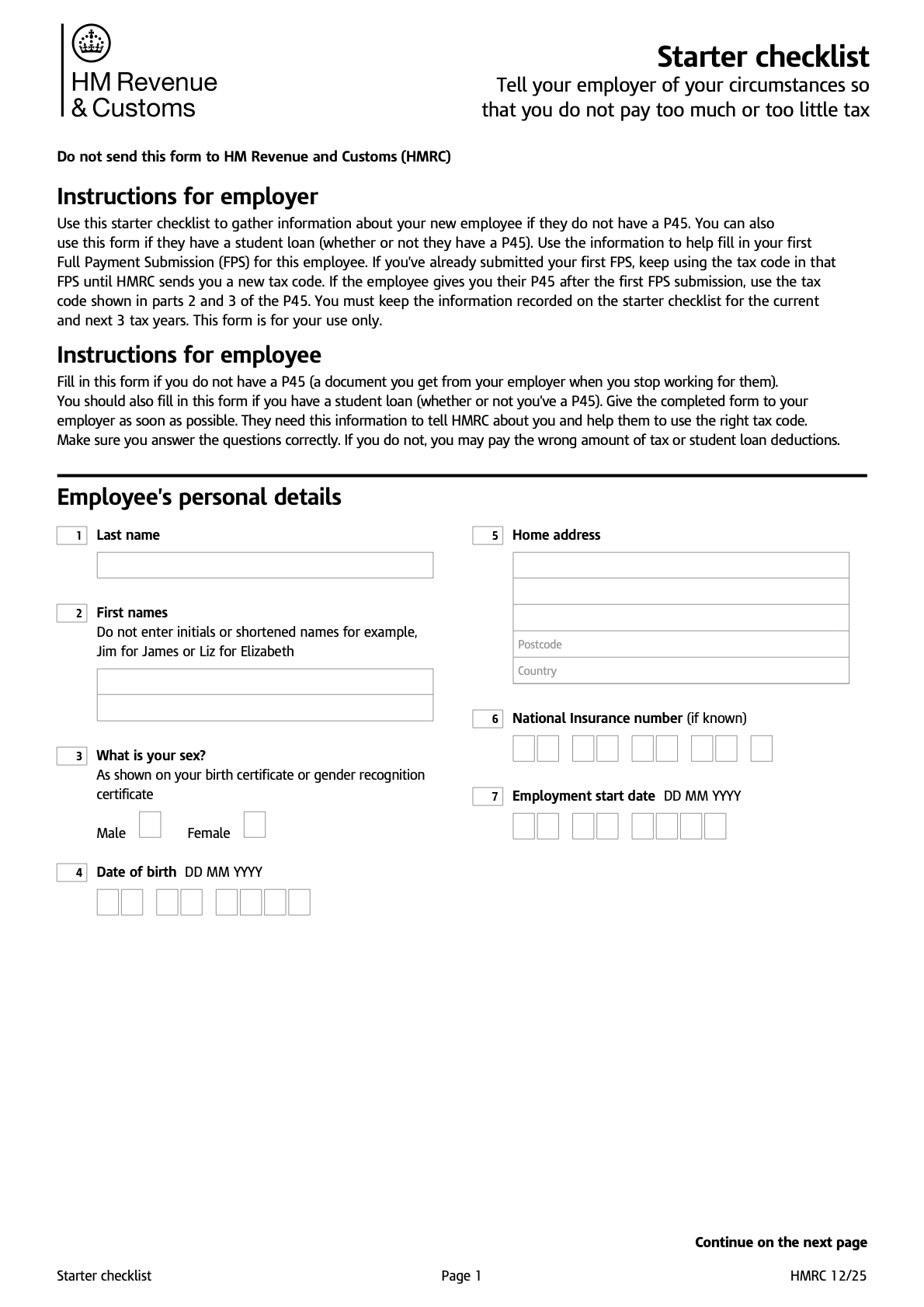
Boxes 1 to 4: who the employee is
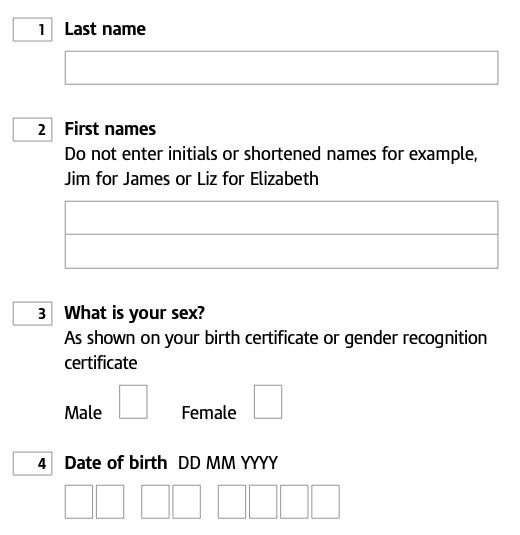
Last name. The family name.
First names. In full: the form rules out initials and shortened names such as Jim for James.
Sex. As shown on the birth certificate or gender recognition certificate.
Date of birth. Day, month and year.
Boxes 5 to 7: address, NI number and start date
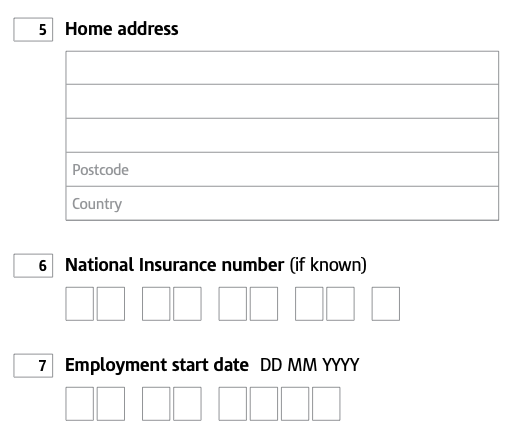
Home address. Including postcode and country.
National Insurance number. Only if the employee knows it.
Employment start date. Day, month and year.
Questions 8 to 10: the employee statement
The three questions lead the employee to one statement, and the statement tells the employer which tax code to apply [5]. From 6 April 2026, HMRC lists the emergency tax codes as 1257L W1, 1257L M1 and 1257L X [6].
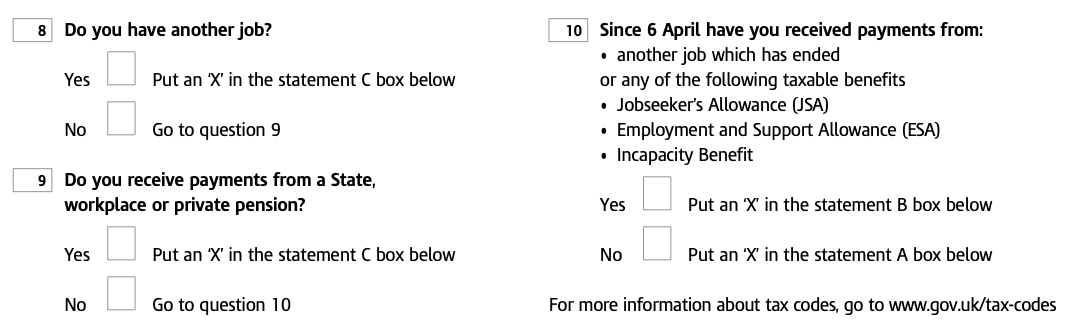
Another job? Yes sends the employee to statement C.
A State, workplace or private pension? Yes also leads to statement C.
Since 6 April, a job that has ended or certain benefits? Jobseeker’s Allowance, Employment and Support Allowance or Incapacity Benefit: yes leads to statement B, no to statement A.
Statements A, B and C
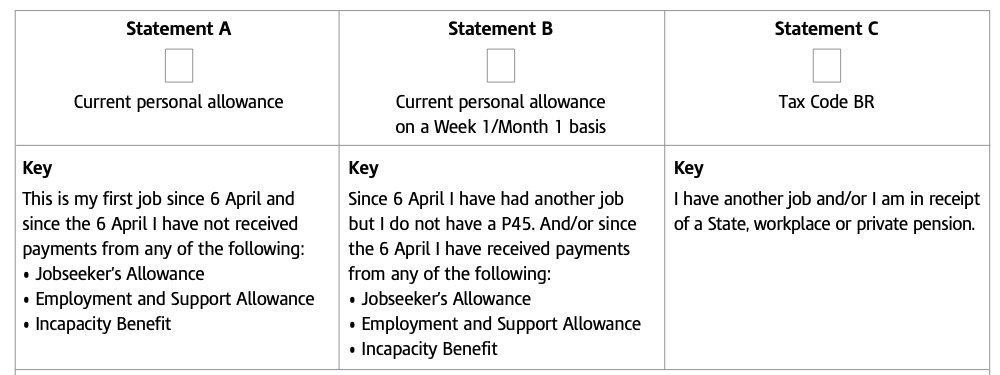
Statement A. First job since 6 April and none of those benefits: the current personal allowance.
Statement B. Another job since 6 April but no P45, or one of those benefits: the current personal allowance on a Week 1/Month 1 basis.
Statement C. Another job, or a State, workplace or private pension being paid: tax code BR.
Questions 11 to 13: student loans
The last questions decide whether student or postgraduate loan deductions start, and on which plan [5]. The employee then signs and dates the declaration.
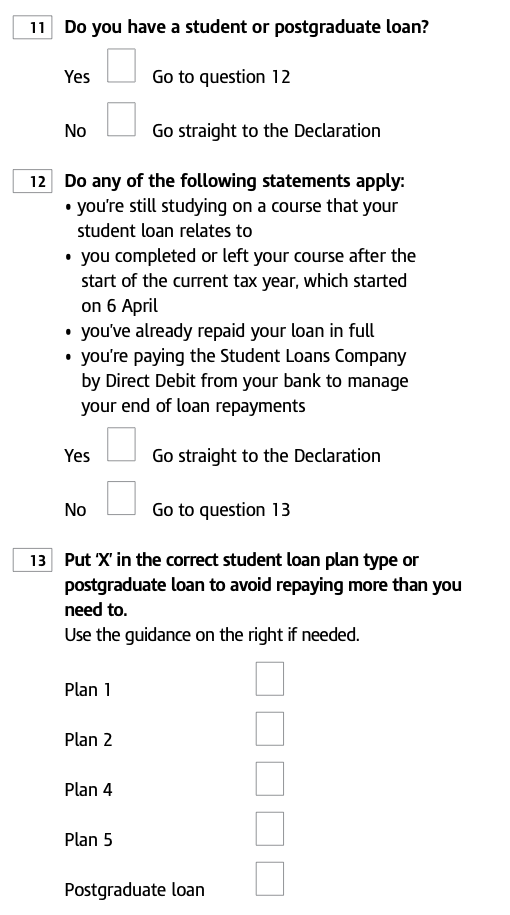
A student or postgraduate loan? No goes straight to the declaration.
Any exemption? Still studying, left the course after 6 April, already repaid in full, or paying the Student Loans Company by Direct Debit: no deductions start.
Which plan? One of Plan 1, 2, 4 or 5, and the postgraduate loan box as well where it applies.
What the employer must do
- Ask for the P45. If there is none, or more information is needed, give the employee the starter checklist [1].
- Use the answers to work out which tax code and starter declaration to enter in the payroll software [3].
- Report the new starter to HMRC on a Full Payment Submission (FPS) on or before their first payday [3].
- If HMRC later issues a different tax code for the employee, update the payroll record as soon as possible [4].
The employee emails, posts or hands the completed checklist to the new employer [2]. The information it collects reaches HMRC through the FPS.
Common mistakes
- Waiting for a P46 or a P45 before running payroll. The starter checklist exists so the employee can be paid correctly from the first payday. If a P45 arrives late, the lost P45 guide covers what to do.
- Skipping the student loan questions. These tell the employer whether student or postgraduate loan deductions are needed [2].
- Picking a code without the checklist answers. The checklist asks whether the employee has had another job, a pension or certain benefits since 6 April [2], and those answers drive the tax code. An unsupported guess can leave the employee on the wrong code until HMRC corrects it.